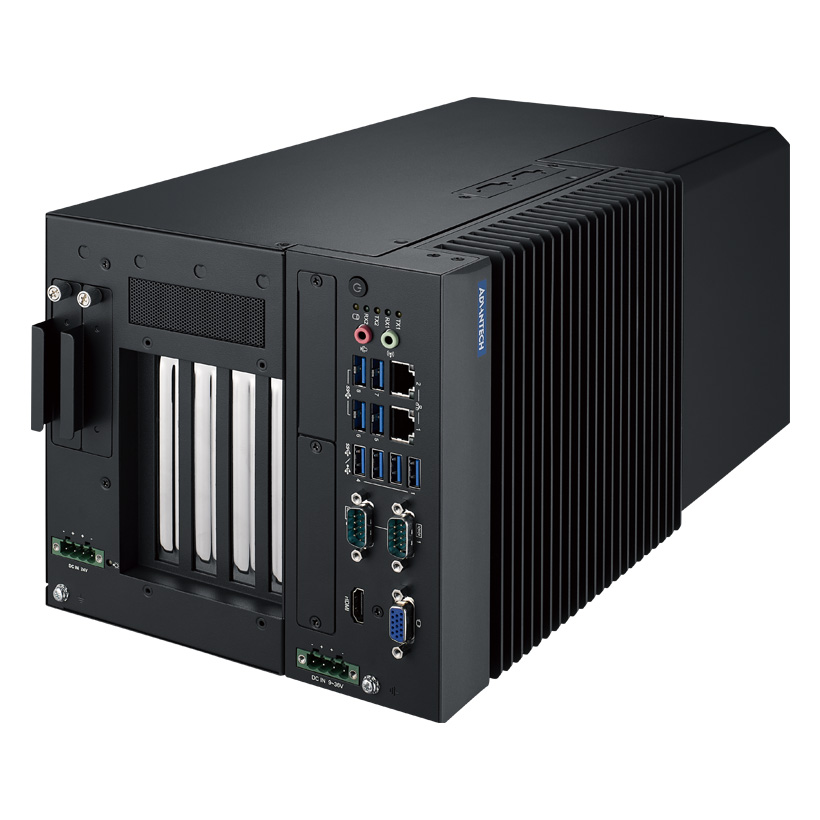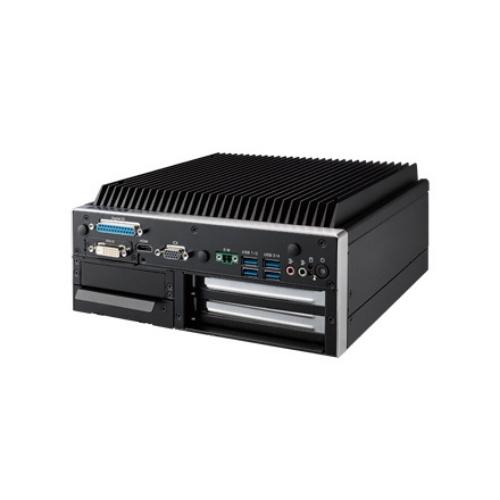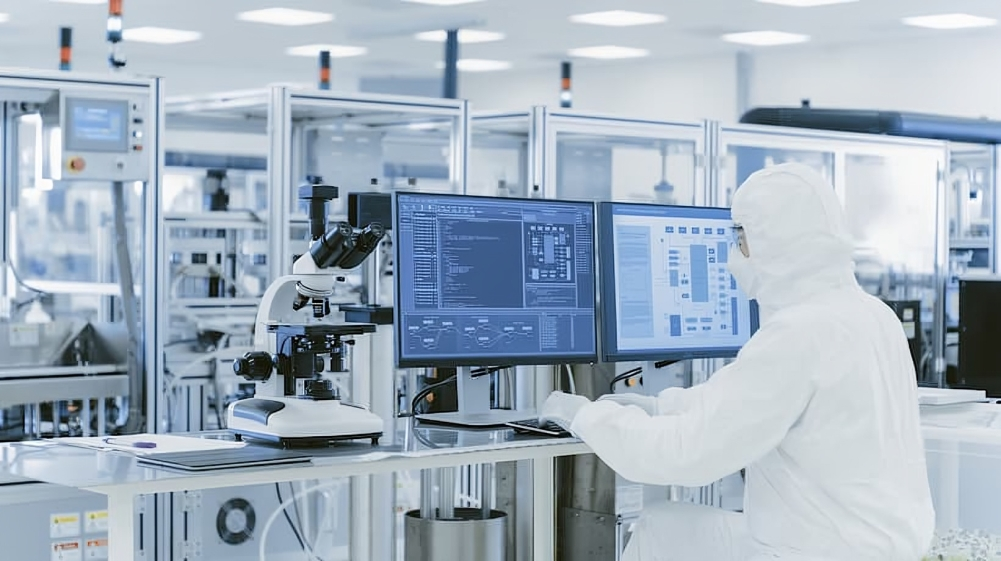

An industrial PC is a computer built for factory and industrial use, not for an office or home. Industrial PCs
are computers designed to be used in industrial environments, such as during the manufacturing of goods . They use ruggedized materials and industrial-grade components so they can survive dust, heat, moisture, and vibration . In other words, an industrial PC is a stronger, tougher computer for heavyduty tasks. These PCs can run 24/7 without breaking, unlike regular PCs which typically run only 8–10 hours a day . For example, a normal office computer might fail if dropped or splashed, but an industrial PC will still work.
The benefits of industrial PC for manufacturing are clear. These machines collect real-time data and control machines in smart factories. They help manufacturers achieve higher reliability and less downtime, so production lines run smoothly. In modern “Industry 4.0” plants, industrial PCs connect sensors and machines to cloud systems, enabling real-time monitoring and predictive maintenance. In short, what is an industrial PC? It’s the backbone of a factory computer system – a fanless, durable computer that handles shop-floor work smoothly.
More details on industrial PCs can be found in Industrial PC: What Is an Industrial PC? Features, Applications, and Manufacturing Benefits
What Makes an Industrial PC Different from Regular Computers?
Industrial PCs look like regular PCs inside (CPU, RAM, etc.), but they are built very differently for harsh use. Key differences include:
-
Rugged Design: Heavy-duty metal or steel chassis (often extruded one-piece enclosures) to survive drops, shock and vibration. Many meet military specs (e.g. MIL-STD-810G) for toughness. A standard PC uses thin aluminum and plastic, but an industrial PC uses thick metal so it won’t bend or break in a machine shop.
-
Environmental Protection: Industrial PCs are sealed and often rated IP65/IP67 to keep out dust, dirt, and liquids. They use lockable M12 connectors and no open fan vents, so even in a washing-down food plant or mining site, the PC keeps running. Normal PCs have fans and slots that let dust in.
-
Wide Operating Temperature: They can handle extreme heat and cold. Many work from about –40 °C up to +85 °C. This is because they use fanless cooling (heat sinks or heat pipes) and special components rated for wide temperature. A commercial PC usually only works from 0–35 °C. In factories, active cooling (fans) is a big failure point, so industrial PCs avoid them.
-
Long Lifecycle: Industrial PCs are made for a long service life. They often come with 5–10 year support and won’t need major hardware changes for years. Factories typically deploy one model and keep using it for many years. In contrast, consumer PCs are refreshed every 2–3 years.
-
Durable Components: Inside an IPC, parts are selected for reliability (e.g. solid-state drives, ECC memory, high-grade capacitors). They have no moving disks or fragile connectors. Many IPCs have RAID drives or redundant power so a failure won’t stop the machine.
In summary, an industrial PC is a sealed, fanless, long-lasting computer designed for factories. It tolerates mud, chemicals, or vibration that would kill a desktop.
More about these differences can be found in Industrial vs. Commercial PCs: What Is an Industrial PC? Industrial PC vs Commercial PC Explained.
Core Features of Industrial PCs
Industrial PCs share several signature features that make them ideal for manufacturing:
-
Fanless, Ventless Design: Most IPCs use passive cooling (heat sinks) instead of fans. This means no air intake for dust. They run silently and keep dirt out.
-
Rugged Construction: They withstand vibrations, shocks, and moisture. Every component is chosen to be durable. Their enclosures are tightly sealed and often meet water/dust proof standards (IP-rating).
-
Rich I/O Options: Industrial PCs offer a wide variety of ports to connect factory devices. You’ll find multiple serial ports (RS-232/422/485), USB, Gigabit Ethernet, digital I/O, and sometimes specialized ports (CANbus, GPIO) to link to PLCs, sensors, motors, etc. This removes the need for extra adapters or dongles on the line.
-
Mounting Flexibility: They come in many form factors: box PCs (small case), panel PCs (screen and PC combined), rackmount servers, and DIN-rail computers. Mounting options include VESA arms, wall-mount brackets, panel-mount bezels, or sturdy base stands. For example, a panel PC can be mounted in the control panel door as an HMI. A box PC can be placed on a machine or DIN rail.
-
Security Features: Industrial PCs often include hardware security. They can have Trusted Platform Modules (TPM), secure/UEFI boot, data encryption, and built-in firewalls to protect factory networks. Physical access is restricted by lockable chassis. These measures safeguard critical process data from tampering.
-
Long-Term Support: Many IPC vendors guarantee long availability of parts. These PCs use stable chipsets and spare slots so you can upgrade memory or add I/O cards over time. They aren’t tied to the latest consumer trends but to proven designs.
Together, these features let an industrial PC work continuously and integrate with a factory system. They can have expansion slots (PCIe) for extra cards and use open platforms (Windows, Linux, or real-time OS).
For more on core features, see this article: What Is an Industrial PC? Key Features and Applications Explained.
The Benefits of Industrial PCs for Manufacturing
Using an industrial PC in manufacturing brings many concrete advantages:
-
High Reliability & Uptime: Industrial PCs are built to run non-stop in harsh conditions. This means less unplanned downtime. With rugged parts and no moving cooling fans, they fail far less often than office PCs in factories. When they do have issues, features like redundant power or RAID storage minimize outages.
-
Performance: These PCs use fast multi-core processors and large memory to handle demanding tasks. Whether it’s real-time motion control, machine vision, or data logging, the IPC has the horsepower. Faster computers make machines run quicker and reduce cycle time.
-
Customization: You can tailor an IPC to the job. Factories can choose exactly which I/O ports, interfaces, and functions they need. This flexibility (customizable CPU, extra add-on cards, splash-proof front panels) ensures each IPC supports its specific machinery without waste.
-
Real-Time Data & Industry 4.0: Industrial PCs are key enablers of smart manufacturing. They collect sensor data in real time and run analytics at the edge. By networking machines via the Industrial Internet of Things (IIoT), they allow predictive maintenance and instant process feedback. For example, an IPC can detect a bearing wearing out before failure and alert engineers, saving downtime.
-
System Integration: IPCs easily connect to factory systems. They support fieldbuses and industrial Ethernet for PLC communication, SCADA monitoring, and factory networks. They can store or forward data to MES/ERP systems for production tracking. This seamless link between OT (operational tech) and IT systems helps optimize the whole plant.
-
Cost Savings Over Time: Because they cut maintenance and increase output, industrial PCs boost productivity and profit. Tangent reports that with IPCs manufacturers see improved efficiency and reduced downtime. Over the years, the gains in uptime and data-driven control more than cover the initial cost.
In practice, these benefits mean smoother production and higher quality. An IPC-based machine control lets you make parts faster, inspect them immediately, and log everything for traceability. With built-in monitoring, you catch faults early. These advantages show why industrial computers are essential in modern factories.
For more on manufacturing benefits, see: Advantech’s Smart Manufactuing Solutions

Key Applications in Manufacturing Settings
Industrial PCs are used throughout factories in many roles:
-
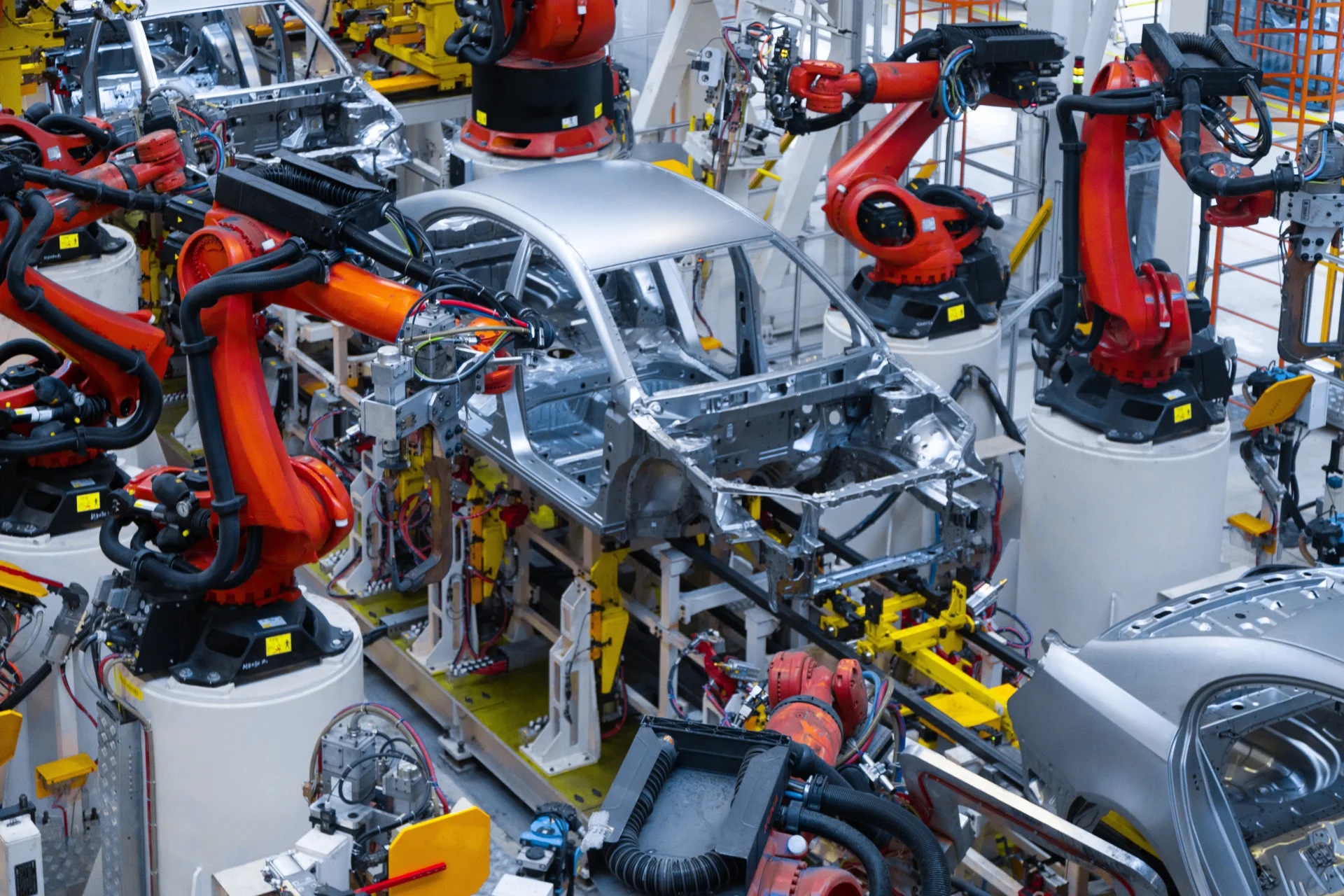
Machine and Motion Control: IPCs run CNC machines, robotics, conveyor controls and other automated equipment. Their fast CPUs and real-time I/O let them execute precise motion control and complex logic. For example, an industrial box PC might replace a PLC to control welding robots or assembly lines, handling kinematics and synchronization.
-
Production Monitoring & Data Acquisition: These PCs connect to sensors on machines, conveyors, and processes to collect data (temperature, pressure, position, etc.) in real time. They feed this data to monitoring software or historians so operators can see production status at a glance. This is critical for quality control and maintenance.
-
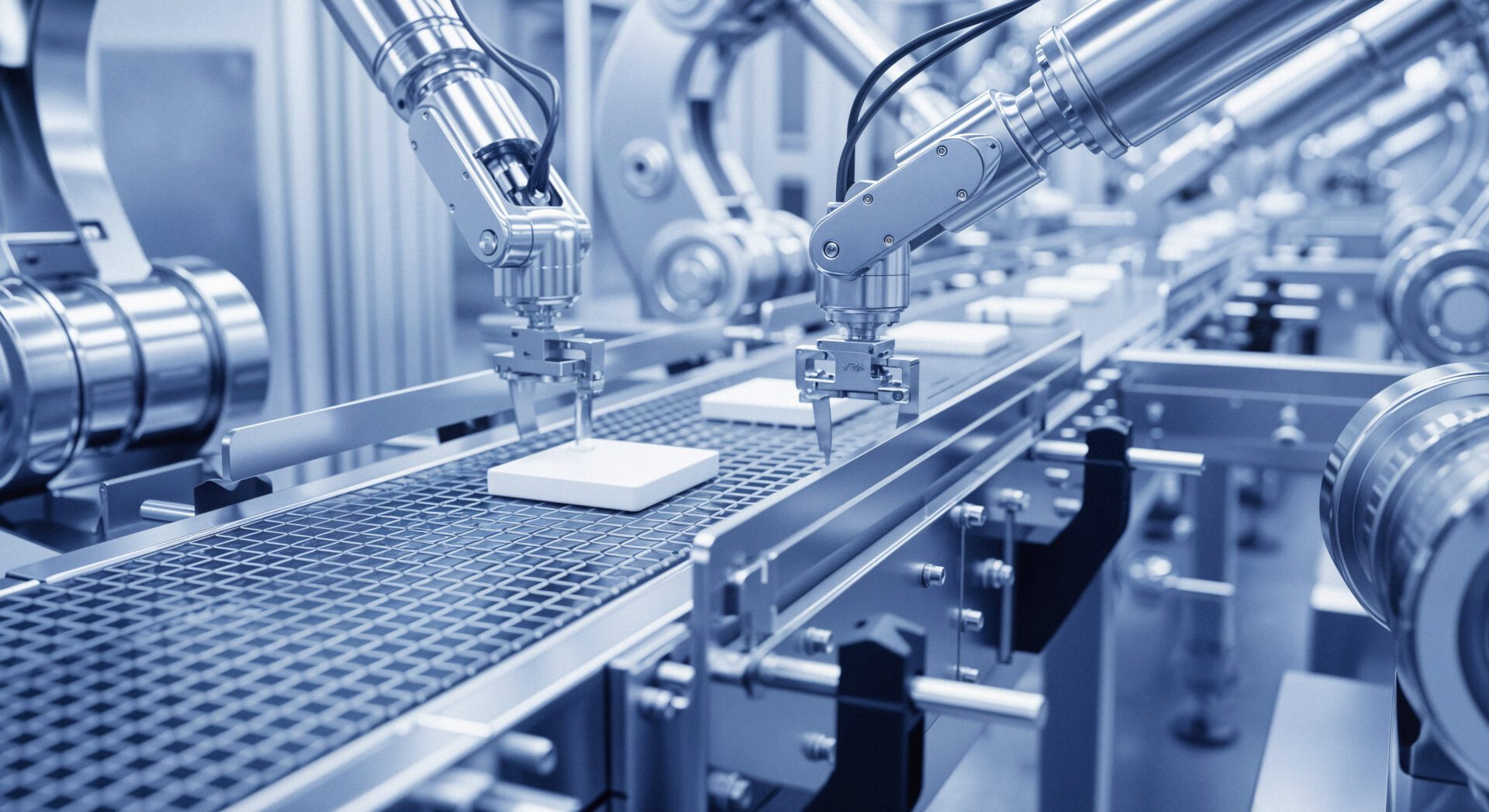
Quality Control & Vision Systems: Industrial PCs often drive camera-based inspection systems. They run vision algorithms to check parts for defects or measure tolerances as parts move on the line. Their speed and reliability ensure every part is checked without slowing production.
-
Human-Machine Interface (HMI): Panel PCs (touchscreen computers) serve as HMIs on the factory floor. Operators use them to view process data, set parameters, or start/stop machines. Industrial HMIs can be glove-friendly, have bright displays, and stay responsive in harsh areas. They provide the link between workers and automation.
-
SCADA and MES Nodes: IPCs often host SCADA or MES applications. They aggregate data from PLCs and sensors and relay it to plant-wide systems. An IPC on the plant network can gather information from multiple machines and forward it to a central server or cloud.
-
ERP Integration: Data from IPCs can update enterprise systems (ERP) for inventory, scheduling and analytics. For instance, when an IPC notes a job is complete, it can automatically signal the ERP to update material usage. This tight integration closes the loop between factory operations and business systems.
Overall, any factory task needing reliable computing in a tough spot is a fit for an industrial PC. See how Weidmuller describes IPCs for machine control, operation and monitoring of systems, or how Phoenix Contact highlights IPCs for “demanding control and networking tasks” in automation.
Cost Considerations and ROI
Industrial PCs cost more upfront than consumer PCs, but their total cost of ownership (TCO) is often lower in the long run. Key points:
-
Higher Initial Investment: A rugged, industrial PC can be 2–3 times the price of a desktop PC of similar power. Special design and testing drive this price. However, consider this an investment in uptime.
-
Reduced Downtime Savings: Because IPCs are reliable and support predictive maintenance, they cut costly downtime. Control Design notes that IPCs enable real-time condition monitoring, which improves uptime and significantly reduces costs. In many factories, even minutes of downtime cost thousands. An IPC’s ability to avoid or shorten these outages quickly pays back the extra cost.
-
Longevity: An industrial PC may run 5–10 years without replacement. This means fewer money spent on refresh cycles. With a longer lifecycle, you avoid repeated capital expense. As notes, IPCs allow companies to standardize on one model “without any major hardware change within 5 years.”
-
Productivity Gains: Improved performance and automation from IPCs lead to higher production rates. More output per hour increases revenue. Tangent reports that IPCs help manufacturers achieve improved efficiency and increased profitability.
-
Maintenance Costs: Fanless design means less routine cleaning and fan replacement. Built-in diagnostics and remote management can lower support costs. Over time, the maintenance savings (fewer failures, simpler service) contribute to ROI.
-
Energy and Footprint: Many IPCs are also energy-efficient and compact, slightly reducing power costs and saving space. (Some sources note fanless IPCs consume less power.)
In summary, while the sticker price of an industrial PC is higher, the payoff in reduced downtime and higher output makes it cost-effective. By minimizing production stops and maintenance work, an industrial PC quickly recoups its cost.
Choosing the Right Industrial PC for Manufacturing Needs
Selecting the proper industrial PC means matching it to your environment and tasks. Consider:
-
Operating Environment: Assess where it will live. Is the setting harsh/rugged (extreme temperature, high vibration)? Or hazardous (explosive gases)? Choose a suitable enclosure. Industrial computers come in ratings (standard, rugged, or IECEx-certified for explosive areas). For example, some IPCs are rated for “hazardous area” use. Pick the right class to ensure safety and reliability.
-
Performance Needs (CPU/RAM): Determine the workloads. Will it run simple data collection or heavy vision/AI? Premio emphasizes choosing a processor that can handle your tasks. Don’t overspend on a top CPU you won’t use, but don’t underpower it either or it will slow down production. Also plan for enough RAM and fast storage (SSDs) to meet demand.
-
I/O and Connectivity: List required interfaces. For example, do you need multiple Ethernet ports, serial connections to old machines, or CANbus for vehicles? Does it need Wi-Fi or cellular? Industrial PCs offer standard (USB, Ethernet) and specialized (e.g. fiber, serial, M12) connectors. Ensure the model has all needed ports built-in, or slots for expansion cards.
-
Power Supply: Verify input power. Many IPCs support wide-voltage DC or AC inputs (24–48V DC or 100–240V AC). If power sources are unusual, choose a PC with the right power module.
-
Form Factor & Mounting: Decide on box PC, panel PC, or rackmount. A panel PC (with screen) is great for HMIs, while a DIN-rail box PC is compact for tight control cabinets. Ensure you have mounting hardware (VESA bracket, rack ears, etc.) that fits your equipment layout.
-
Operating System & Software: Check OS requirements (Windows, Linux, or real-time OS). Some IPCs are pre-certified for certain OS or come with drivers for automation. Make sure your PLC/SCADA software is compatible.
-
Future-Proofing: Look for extra expansion slots, spare space, or modular design so you can add features later. Also consider the vendor’s product life policy – will you get replacements or support in 5–10 years?
In short, match the IPC to the job. Assess environmental factors, required performance and I/O first, then pick a model that checks those boxes. Many vendors (Premio, Kontron, Advantech, etc.) offer configurators or specialists to help select the right IPC.
Conclusion
Industrial PCs are specialized computers for factories – hardened, fanless machines built to run around-the-clock in tough environments. We’ve seen that what makes an industrial PC different is its rugged design and long-term reliability. The benefits of industrial PC for manufacturing include greater reliability, real-time monitoring, and seamless integration with automation systems. When chosen correctly (considering temperature ranges, required processing power, I/O needs, and form factor), they empower smart manufacturing. In the era of Industry 4.0, industrial PCs act as the bridge between machines and data, boosting efficiency and cutting costs.
Thinking about your factory, ask: Could an industrial PC for manufacturing improve your operations? Evaluate your needs, consult automation experts, and even pilot an industrial PC on one production line. A small trial can show how much smoother your processes can run with reliable, industrial-grade computing at the core.